


Control Phone Voice
4.232.00 Reviews
App Specs
- Version
- 33.0.0
- Updated On
- License
- Free
- Downloads
- 100,000+
- Developer
- Fa9ssa
- Categories
- Libraries & Demo
- Platform
- Android
Screenshots


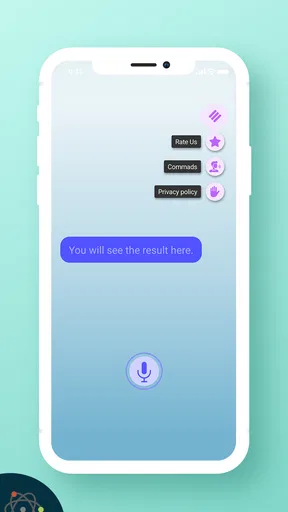
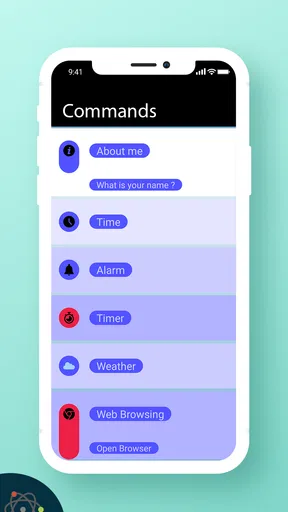
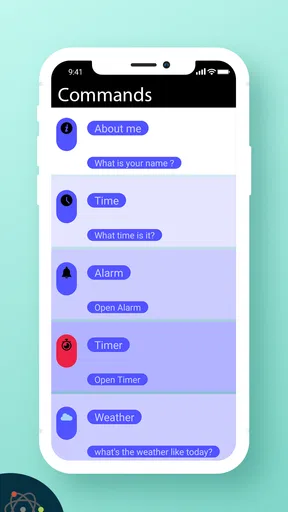
 Analysis by AppCompare
The first few days with Control Phone Voice are appealing for a simple reason: speaking feels quicker than navigating menus when your hands are busy. I can see the attraction when someone wants to try voice-led phone control without paying upfront. It’s a free app in the Libraries & Demo category, developed by Fa9ssa, and its broad promise is easy to grasp: use spoken commands to interact with a phone.
The novelty is strongest when I pick a small, repeatable task rather than expecting the app to run my whole day. For example, while cooking, I might want to ask for a basic phone action without setting down a utensil or touching a screen with messy hands. That is a more realistic test than rattling off a long chain of requests. Voice recognition can be convenient, but it still depends on speaking clearly and having the phone able to hear you.
Where the first-week appeal comes from
For someone new to voice control, the satisfying part is the reduced friction: say what you want instead of hunting through icons. It may also suit people who find small on-screen controls awkward, or anyone who wants to experiment with hands-free interaction. The app is marked for Everyone, so its intended audience is broad, though comfort with voice commands and the phone itself will naturally vary.
I would start by testing one task at a time in a quiet place, then repeat it in the setting where I actually need it. This gives a better sense of whether the recognition is dependable for my speech and surroundings. It also helps separate a command that is easy to say from one that sounds natural but may be too vague for a phone to interpret.
What makes it useful beyond the novelty
The longer-term question is whether voice control earns a regular place in a routine. The app has an average rating of 4.2 from around 1.2 thousand ratings, and it has passed 100 thousand installs. Those figures suggest that people have tried it, but they cannot tell me whether it will suit a particular phone, speaking style, or daily schedule. My advice is to judge it by the few actions you would genuinely repeat, not by how impressive a demo feels on day one.
It is also worth comparing the idea with the voice tools already built into a phone. A built-in assistant may be the more convenient choice if all I need is a familiar, occasional voice request. A dedicated app like this is more interesting if I want to explore phone control as its own use case and am willing to spend time learning which commands work reliably for me. I would not assume that every action available through one voice tool will be available through another.
Keeping the routine practical
To avoid turning setup into a chore, I would keep a short personal list of commands that solve recurring problems. Testing them at home, in the car while parked, or during a quiet break can reveal which phrases are easy to remember and which are too fussy. I would also avoid relying on voice control for anything time-sensitive until I have confirmed that the command behaves as expected in ordinary conditions.
Worth Reading Before You Choose

EA SPORTS FC Mobile 26 Is a Bigger Football Game, but It Takes Time

Flipboard Shows What News Apps Must Do Beyond the Feed

Switching to Android Auto Means Rethinking Your Driving Routine

Google Calendar Makes a Crowded Week Easier to Manage

Ludo King Makes the Most of the Minutes Between Plans

Baby Panda World Brings Quick Play to Modern Phones, but Its Game Library Feels Busy
Privacy and social comfort matter too. Speaking commands aloud may be fine at home but awkward in a shared office, on public transport, or around people who do not need to hear what I am doing. In those moments, tapping the screen is often simpler. A voice-first approach is not automatically hands-free in every environment; it can trade a physical action for the need to speak clearly and be understood.
Getting Started with Voice Control
First things first, setting up Control Phone Voice is a breeze. You simply download it from your app store, and it guides you through a straightforward setup process. The app integrates seamlessly with both Android and iOS, which is a huge plus if you’re someone who switches between devices often.
Once you’ve got it up and running, you’ll notice that the interface is super user-friendly. The developers really nailed the design, making it intuitive and easy to navigate. No need to be a tech wizard to get this app working perfectly for you.
The Magic of Voice Commands
Here’s where the fun begins. With Control Phone Voice, you can perform a myriad of tasks without lifting a finger. Want to send a text? Just say the word. Need to set a reminder? Your voice is all you need. The app supports a wide range of commands, and it’s constantly updating to include more.
The accuracy of the voice recognition is pretty impressive, too. I’ve tried using it in different environments, from a quiet room to a bustling café, and it had no trouble picking up my commands accurately. That’s a big win in my book!
Customization and Flexibility
What’s cool about Control Phone Voice is the level of customization it offers. You can tailor the commands to suit your preferences, making it a personalized experience. The app allows you to create custom phrases for specific actions, which is both fun and practical.
Moreover, the app’s flexibility extends beyond just voice commands. It integrates with other apps, letting you control them through voice too. Whether it’s playing your favorite Spotify playlist or navigating through Google Maps, it’s all possible with just a simple command.
Performance and Reliability
Now, let’s talk about performance. The app runs smoothly without any noticeable lag, which is crucial for an app that you rely on for everyday tasks. Over the time I’ve used it, I haven’t encountered any crashes or bugs, which speaks volumes about its reliability.
Battery consumption is another aspect I was curious about, and I was pleasantly surprised. The app doesn’t drain your battery, even with continuous use throughout the day. So, you can have it running in the background without worrying about your phone dying on you.
A Few Things to Note
While Control Phone Voice is packed with features, it’s worth mentioning that it requires a stable internet connection for optimal performance. So, if you’re in an area with spotty Wi-Fi or cellular service, you might experience some hiccups.
Additionally, while the app supports multiple languages, the availability of commands can vary based on your language and region. It’s something to keep in mind if you’re looking for specific functionalities.
Is it worth keeping installed?
The app is on version 33.0.0, with support for devices running Android 7.0 or later, and it was released on April 28, 2019. I’d treat those details as a reason to check compatibility on the device I plan to use, rather than assuming that the same experience carries across every phone. If I change devices or update how I use voice features, I would retest my preferred commands instead of expecting an old routine to transfer perfectly.
My month-to-month test would be practical: does the app save enough small moments of screen navigation to justify keeping it installed? A useful approach is to choose one recurring situation—such as hands occupied at home—and see whether a short voice command genuinely helps there. If I only open it to demonstrate voice recognition to someone, the novelty has probably passed and the built-in assistant or ordinary touch controls may be a better fit.
There is a maintenance trade-off in any voice-command habit. I need to remember phrases, notice when a command is misunderstood, and adjust how I speak or where I try it. Custom phrasing can make commands feel personal, but too many variations can make a routine harder to recall. I would keep only the phrases I use often, and make them distinct enough that casual conversation is less likely to trigger the wrong action.
That is especially relevant when using voice around other apps. A command that sounds clear to me may still be ambiguous if it contains several steps or a name the phone hears differently. I would begin with straightforward requests, then add more involved actions only after checking the result. For messages or navigation, a quick glance at the screen before proceeding is sensible; convenience should not come at the cost of sending or selecting the wrong thing.
Someone choosing between this and a built-in assistant should think about the job, not just the label. Built-in tools are usually the simplest starting point for occasional requests because they are already part of the phone experience. This app makes more sense for a person curious about a dedicated voice-control workflow and willing to test its command style. If dependable access to a specific function is essential, I would first verify that exact action on my own device rather than assume the broad idea guarantees it.
It is less compelling for people who spend most of the day in quiet public spaces, dislike speaking to a phone, or prefer direct visual confirmation before every action. It may also frustrate someone expecting every command to work offline or under noisy conditions; the original experience points to a stable internet connection for optimal performance, so I would not make it my sole route to an urgent task. Touch controls remain the dependable fallback when recognition or connectivity becomes a nuisance.
All in all, Control Phone Voice offers a remarkable way to interact with your phone. It’s perfect for tech enthusiasts and anyone looking to simplify their smartphone usage. With its robust features and seamless performance, it’s definitely worth checking out. So, what are you waiting for? Give it a try and let your voice do the work!
Pros
- Easy voice command setup
- Intuitive user interface
- Compatible with multiple devices
- Customizable voice profiles
- Hands-free operation
Cons
- Limited language support
- Requires stable internet connection
- May drain battery quickly
- Occasional voice recognition errors
- Limited integration with third-party apps
FAQs for Control Phone Voice
What is Control Phone Voice and how does it work?
Control Phone Voice is a user-friendly app designed to enhance your smartphone experience by allowing voice-controlled operations. It integrates seamlessly with your device, enabling you to make calls, send messages, and navigate apps using voice commands. The app utilizes advanced speech recognition technology to understand and execute your requests efficiently.
Is Control Phone Voice compatible with all Android and iOS devices?
Control Phone Voice is compatible with most modern Android and iOS devices. However, it requires specific operating system versions to function optimally. For Android, it generally supports version 8.0 and above, while iOS users should have version 12.0 or later. Ensure your device meets these requirements for the best performance.
Does Control Phone Voice support multiple languages?
Yes, Control Phone Voice supports multiple languages to cater to a diverse user base. It offers voice recognition in several major languages, allowing users to operate the app in their preferred language. You can check the app settings to see the full list of supported languages and switch accordingly to enhance usability.
Are there any privacy concerns with using Control Phone Voice?
Control Phone Voice takes user privacy seriously and implements robust security measures. The app only accesses necessary data to function, such as contacts for making calls. Voice recordings are processed on-device to ensure privacy. Users can review the privacy policy within the app to understand data usage better.
What are the main features of Control Phone Voice?
Control Phone Voice offers a variety of features that enhance phone accessibility. Key functionalities include voice dialing, message composition, app navigation, and setting reminders—all hands-free. Its intuitive interface and customizable settings make personalization easy, allowing users to tailor the app to their specific needs for a seamless experience.


